Asset Management for research equipment

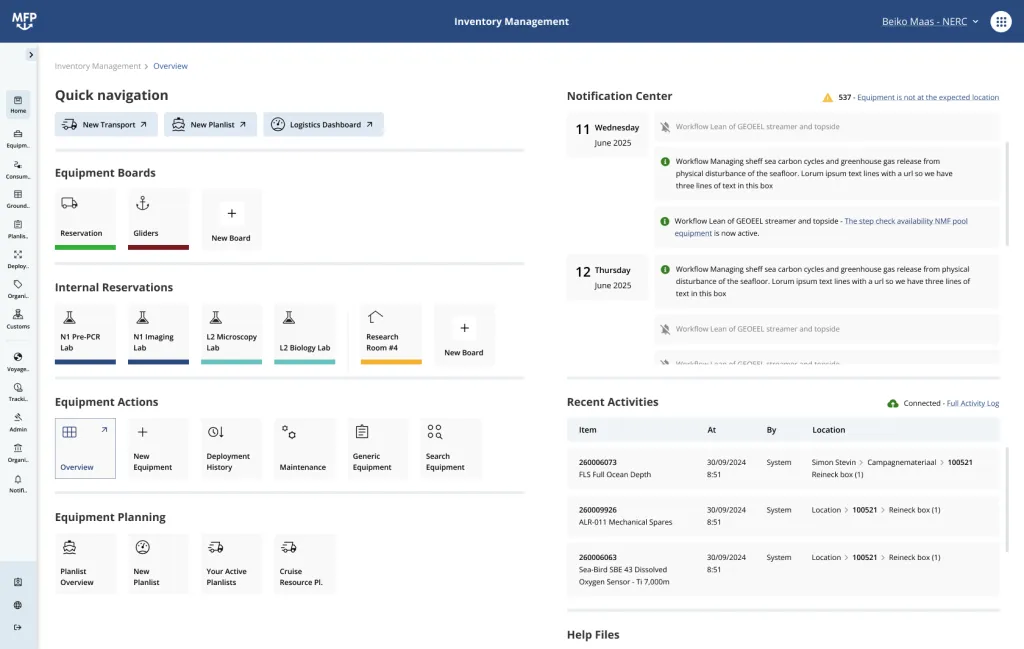
MFP Inventory Management tracks research equipment from the storeroom to the field and back: location, condition, calibration, who has it and which cruise, campaign or deployment needs it next. The same register produces the plan lists, packing lists and customs documents every shipment needs.

One register for everything that moves

Instruments, containers, vehicles and spares, planned against the same cruises, campaigns, stations and deployments as the platforms and the people, with the packing lists and customs paperwork generated from the same register.

What you can do with it

Inventory Management follows a piece of equipment through its whole life, from purchase to discard.

One register

Instruments, sensors, containers, vehicles and spares, each with type, serial number, barcode, dimensions, weight and customs status.

Nested storage locations

Institute, department, hall, container, box: find an item by walking the tree or scanning its barcode.

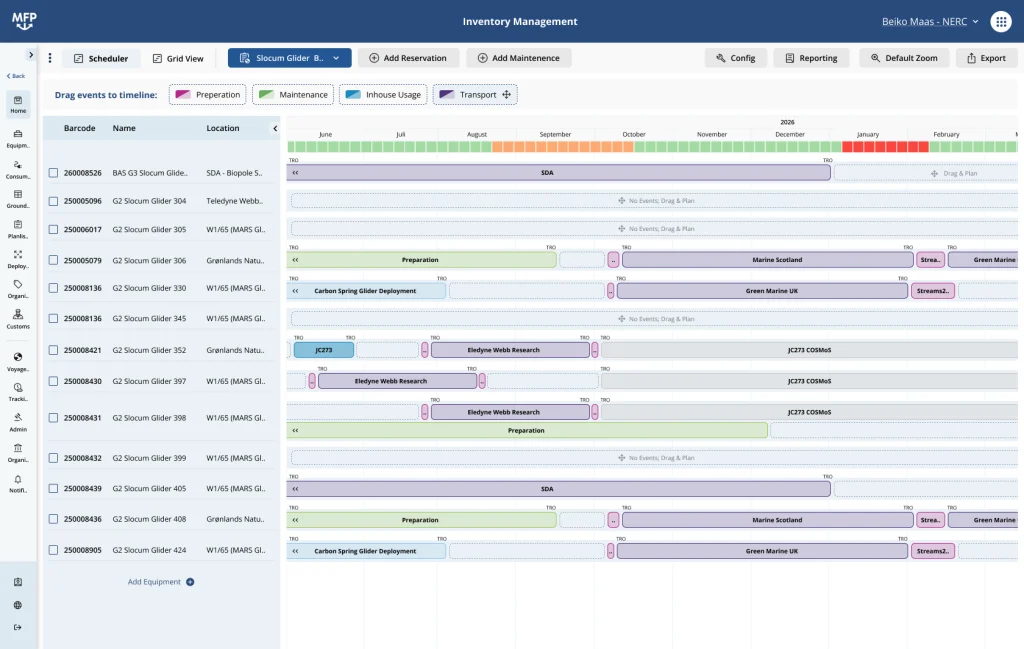
Reservations on a timeline

Book equipment for a cruise, a station season or a campaign, next to the voyage programme.

Maintenance and calibration

Last service, last calibration and next expiry per item. Expiring certificates are flagged before planning.

Barcodes from MFP

Labels for items and storage locations print directly to Zebra printers, with ZPL templates per organisation.

Plan lists and transports

Compile equipment, consumables and dangerous goods per shipment, nested by container and box, and link the transport to the cruise and the return transport.

Customs and export control

Customs price, customs type, dangerous goods data and export control status on every item. Packing lists and customs lists as PDF or Excel for agents and customs.

Scientist self-service

Researchers see what is available and request it from their portal; technicians approve and prepare.

Lifecycle and reporting

Active, lost, discarded or applied for discard, with the history kept for audit and funder reporting.

The problem

Research equipment lives in more places than any spreadsheet can follow. A CTD is in a container on the quay, a current meter is on a cruise that ends next week, and the acoustic modem that the next expedition needs is in an aluminium box in a storage hall nobody has opened since the last refit.

When the inventory is a list and the cruise plan is a calendar, the two never meet until the day of mobilisation. That is when the double booking, the expired calibration and the missing cable show up, and by then the ship is waiting.

Planned with the schedule, not beside it

Equipment is planned against the same cruises, campaigns, stations and deployments as the platforms and the people. A reservation on an instrument is a line on the same timeline as the operation it serves, so a conflict appears once, in one place, months before departure instead of on the quay.

From plan list to customs paperwork

Every shipment starts as a plan list: the equipment, consumables and dangerous goods for a cruise, a transport or a deployment, structured the way they are actually packed. From that one list MFP produces the paperwork and keeps the register in step with what really left the building.

Transports linked to the schedule

Create a transport from A to B, link it to the cruise, campaign or deployment and to the return transport, and see outward transport, operation, repair and return as one chain in a Gantt chart.

Packing lists that match the packages

Containers, frames and boxes nest inside the plan list, so the packing list shows the real package structure with weights and dimensions totalled per box, pallet or container.

Customs data on every item

Purchase price, customs price, customs type, manufacturer and supplier per item; UN number, class and packaging for dangerous goods from shared ground data.

Export control flagged early

Items subject to export control are flagged the moment they land on a plan list, so the export control and customs department is involved months before departure.

Documents for customs and agents

Packing lists, customs lists, shipping labels and parts lists as PDF or Excel, generated from the planning status or from what was actually loaded.

Agents and customs offices as data

Agents, suppliers, manufacturers, shipping destinations and customs entry processing units with UN/LOCODE, addresses, contacts and documents.

Load, depart, arrive, unload

Validation checks container contents, loading moves items onto the shipment, arrival puts them on board or at the destination. The location history stays complete.

Templates and stock

Plan list templates for recurring shipments, duplicate a list for the next voyage, and consumable stock that is deducted automatically when a transport is loaded.

See where your equipment travels, and what it costs in CO2e

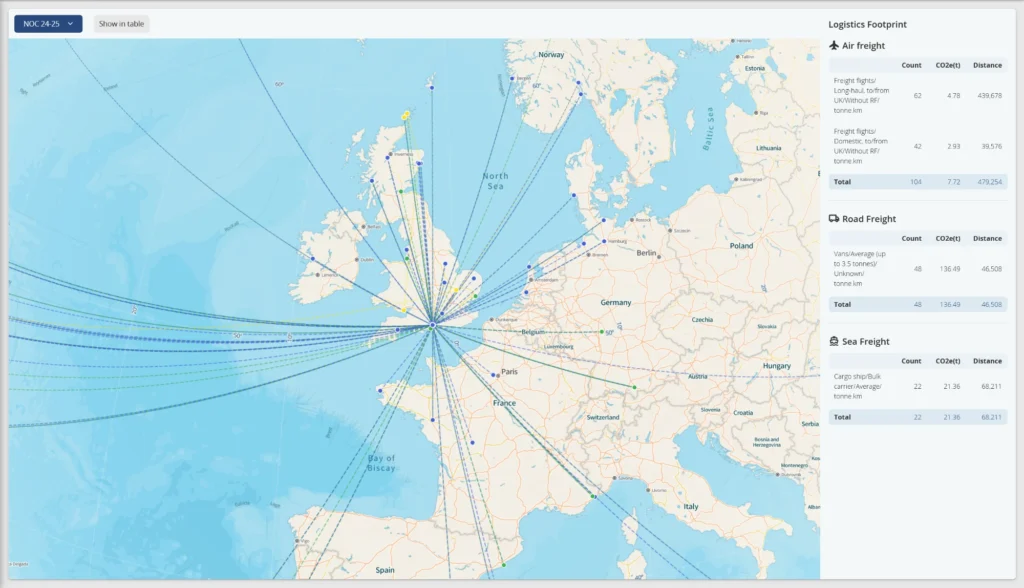
Every transport in MFP carries its mode, distance and weight, so the logistics footprint of a cruise, a season or a whole year is a report rather than a research project. The map shows every shipment from the institute to ports, suppliers and partner labs. The panel next to it totals count, tonne-kilometres and CO2e per freight type, air, road and sea, for sustainability reporting and for choosing the better route next time.

Integrations

A documented REST API exposes the equipment register with filters on type, status, location, barcode, serial number, manufacturer and date, authenticated with an API key per organisation. Equipment files can be exchanged through the file management API.

Used by research fleets worldwide

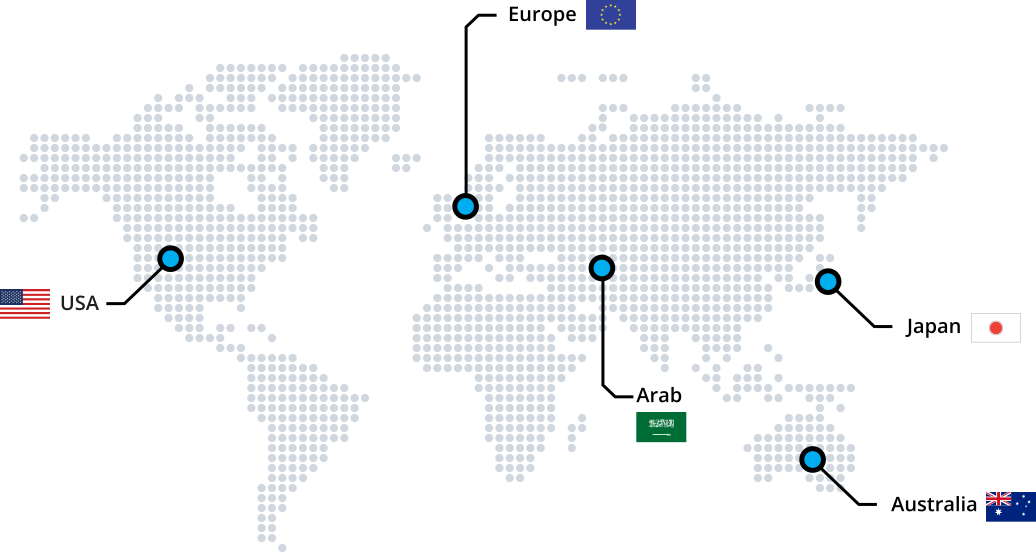
Inventory Management is in daily use at marine and polar research organisations in Europe, Australia and the United States: BGR, GEOMAR, NOC, VLIZ, NIOZ, CSIC, CSIRO, the Australian Antarctic Division and UNOLS.

See your equipment on a timeline

Request a demo with your own operations calendar and we will show the conflicts you do not know about yet.